Start with the skill.
Choose a spelling list, practise number facts or build keyboard skills. Guided lessons and fact review make room to work on the things that need another go.

BIG ADVENTURES. EVERYDAY LEARNING.
Give spelling, math and typing practice a purpose. A reactor to power. A mission to finish. A new ship to work towards. Every adventure gives your child another reason to use what they’re learning.
Free for families · Math, Spelling and Typing in one appNo subscription and no payment details
Words at their levelPreschool letters through Grade 12 spelling.
Foundations that matterAddition, subtraction, multiplication & division.
Built around your familyIndividual profiles and progress you can review.
A REASON TO KEEP COMING BACK
Practice takes repetition. Give that repetition a place in a story, a challenge to solve, and a reward they can make their own.
Choose a spelling list, practise number facts or build keyboard skills. Guided lessons and fact review make room to work on the things that need another go.
Answers power reactors, help complete missions, and move the adventure forward. Learning is part of what your child does in the game.
Earn in-game credits, save for vehicles, and discover new places. Their next goal is a reason to return and practise again.
TAKE A LOOK INSIDE
Choose spelling, number facts or typing. Each child has one cadet, one station and one set of rewards, and each subject keeps its own missions.
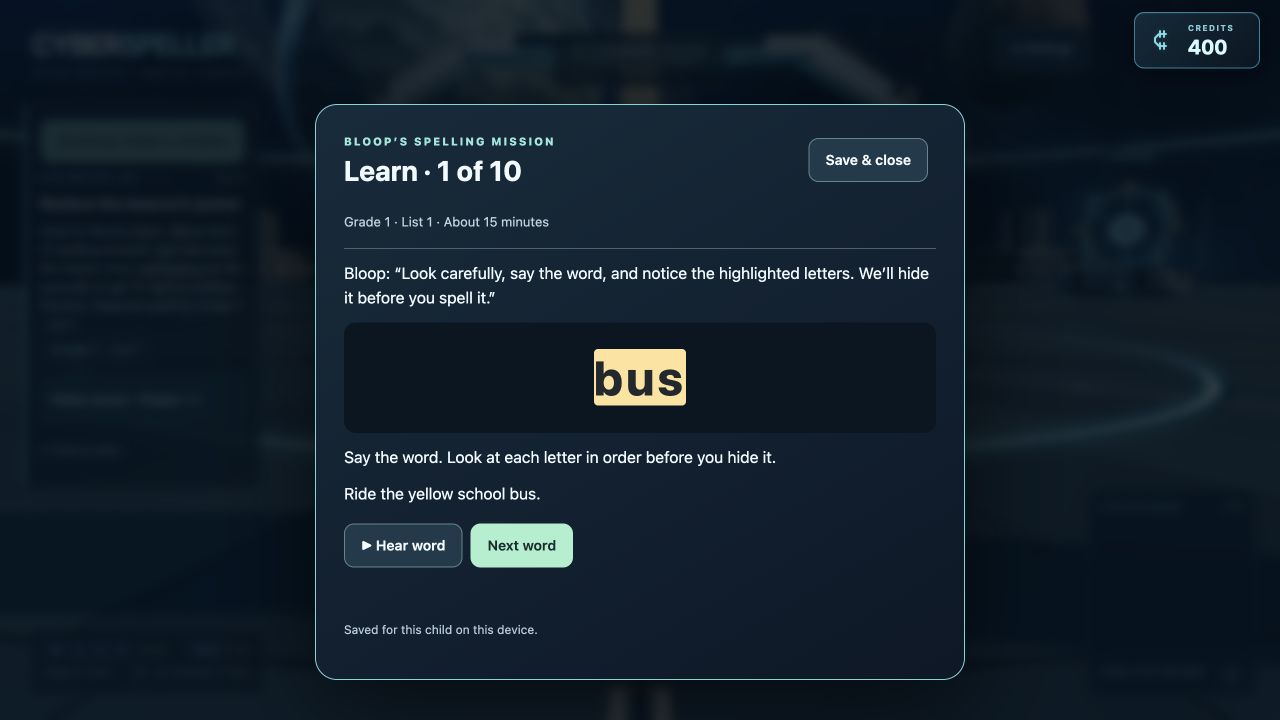
FOR GROWING WORD CONFIDENCE
Build a spelling routine that goes beyond a weekly test. Your child can study a word, hear it aloud, and use it across the adventure.
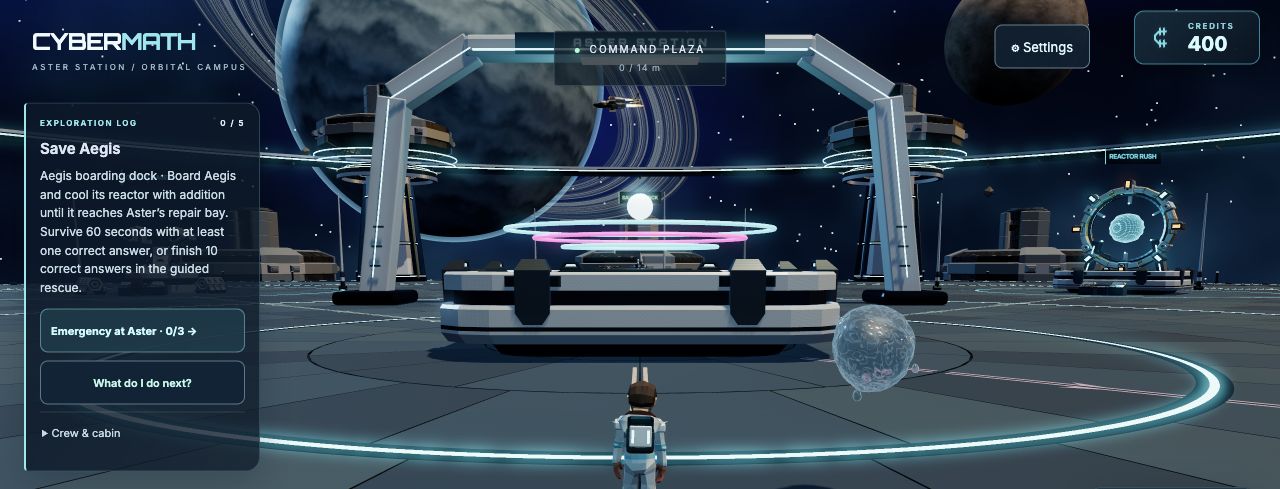
FOR EVERYDAY NUMBER CONFIDENCE
Give arithmetic a job to do. From powering the station to racing starships, number facts become tools for taking on the next challenge.
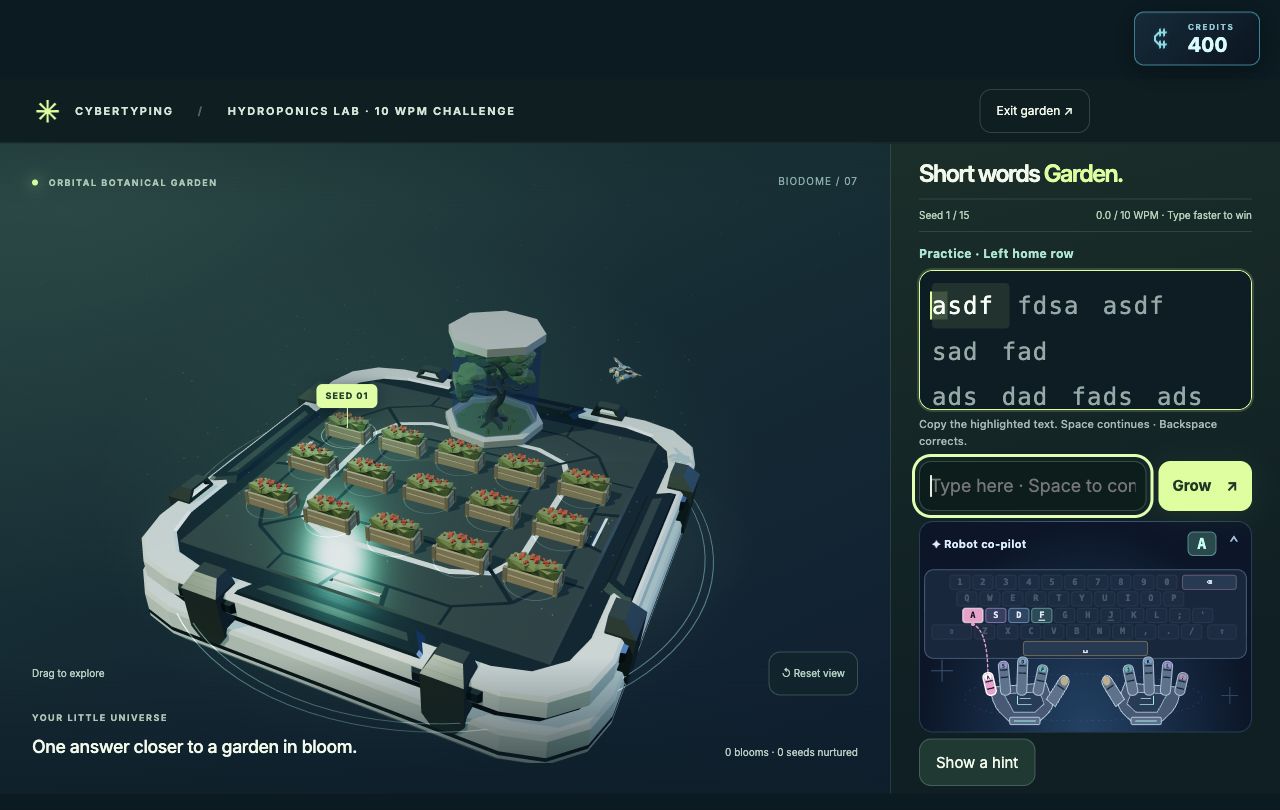
YOUR KEYS TO THE UNIVERSE
Start on the home row and build your typing pace as you power missions, explore the station and earn new rewards.
YOU’RE STILL MISSION CONTROL
A high score is only part of the story. Parent tools help you choose a focus and see where practice is happening.
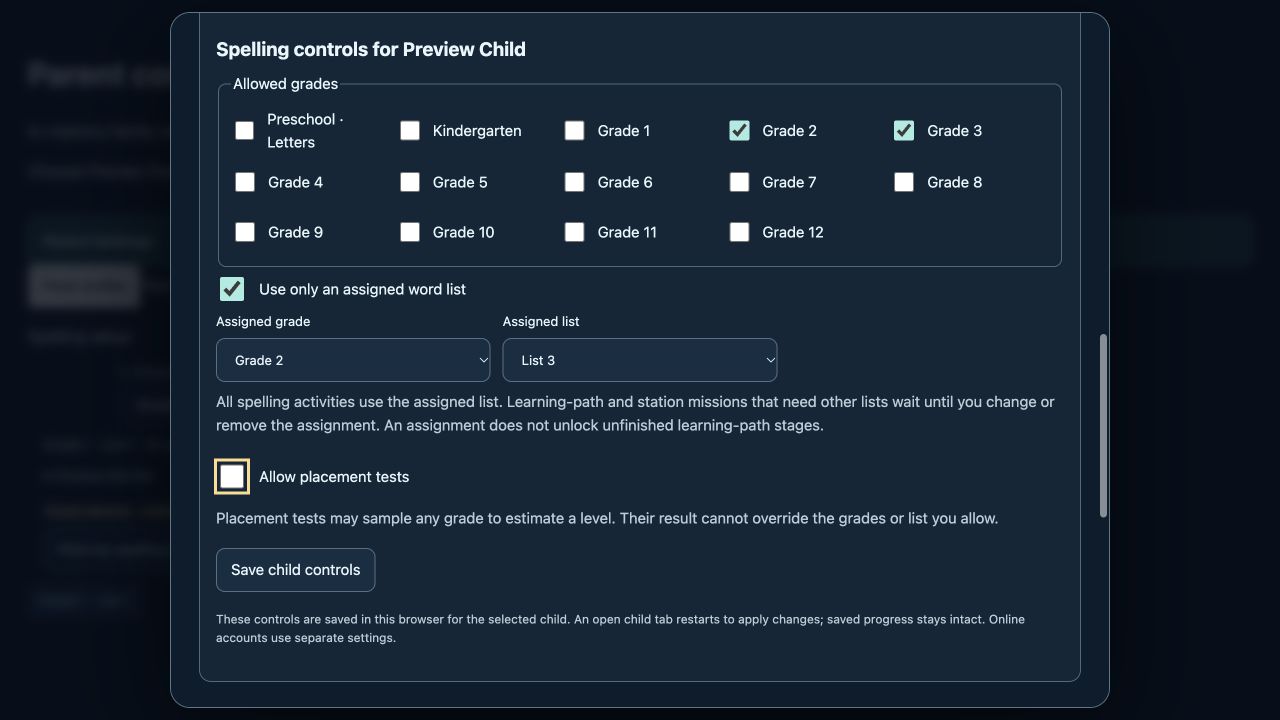
EVERYTHING IS INCLUDED
Cyber Ed is free for families. Every child profile includes Math, Spelling and Typing, the space adventure and the parent tools. There are no plans to choose and nothing to buy.
This review build has registration closed. Existing parents can sign in.
THE WORD ADVENTURE
For growing word confidence.
Freeincluded in Cyber Ed
THE NUMBER ADVENTURE
For everyday number facts.
Freeincluded in Cyber Ed
THE KEYBOARD ADVENTURE
For finding the keys.
Freeincluded in Cyber Ed
Free for families: no subscription, no in-app purchases and no payment details. How we look after your family’s information.
BEFORE YOU LAUNCH
No. Cyber Ed is free for families. Every child profile includes Math, Spelling and Typing, the 3D adventure and the parent tools, and you never enter payment details.
Any of them. Choose Spelling for word lists and guided lessons, Math for number facts, or Typing for keyboard skills. Each subject keeps its own missions, so your child can switch at any time.
No. Calmer practice sits alongside the action games: Spelling has guided learning and untimed activities, and Math has untimed practice and fact review.
Yes. Each child can have an individual profile. Their missions and learning records stay separate, and Math, Spelling and Typing each keep their own progress.
Yes. Progress is saved to your family account and syncs across devices. Sign in to the same family account and choose the same player to continue.
Click Play Cyber Ed, then log in or create an account. Choose a player, choose Math, Spelling or Typing, and play. Each player keeps their own progress.
No. There is nothing to subscribe to: parent accounts, child profiles, and Math, Spelling and Typing are all free. Creating an account does not ask for payment details.
No. Cyber Ed is a separate 3D learning app with Math, Spelling and Typing. Your original CyberSpeller parent login works here, but the original game’s saves stay separate.
GIVE THEIR NEXT ANSWER SOMEWHERE TO TAKE THEM